The Best Linux Laptops (2026): System76, Framework, and More
The Best Linux Laptops (2026): System76, Framework, and More – Linux laptops have come a long way. Not too long ago, installing Linux on a laptop could mean fighting with Wi-Fi drivers, trackpads, graphics, sleep modes, or a webcam that simply refused to cooperate. In 2026, that experience is much less common. Linux now works remarkably well on a wide range of modern hardware, and several manufacturers are building laptops specifically with Linux users in mind. The Best Linux Laptops
That gives buyers more choice, but it also creates a new problem: which Linux laptop should you actually buy?. The answer depends heavily on how you use your computer. A developer may want upgradeable memory and excellent Linux support, while a frequent traveler may care more about weight and battery life. Someone working with demanding graphics applications may need a dedicated GPU, while another user may prefer a simple, quiet machine that runs for an entire workday.
Current recommendations include Linux-focused manufacturers such as System76 and TUXEDO, as well as modular hardware from Framework. Traditional business laptops from Lenovo and Dell can also make excellent Linux machines when the hardware configuration is compatible.
System76 Lemur Pro: A Linux Laptop That Keeps Things Simple
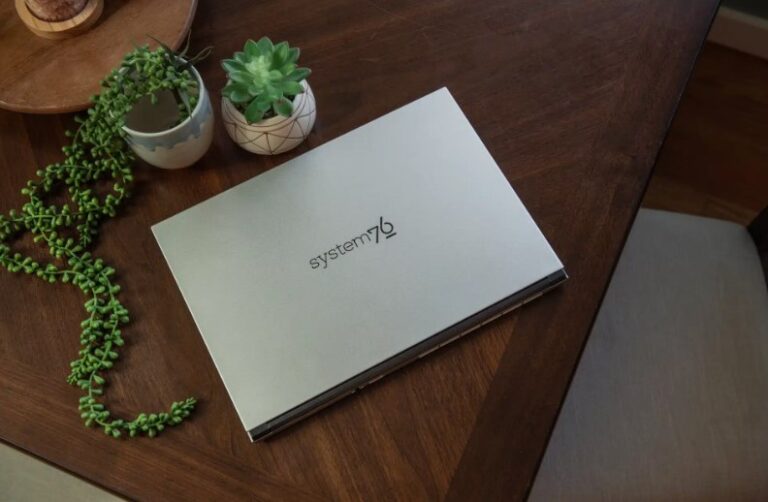
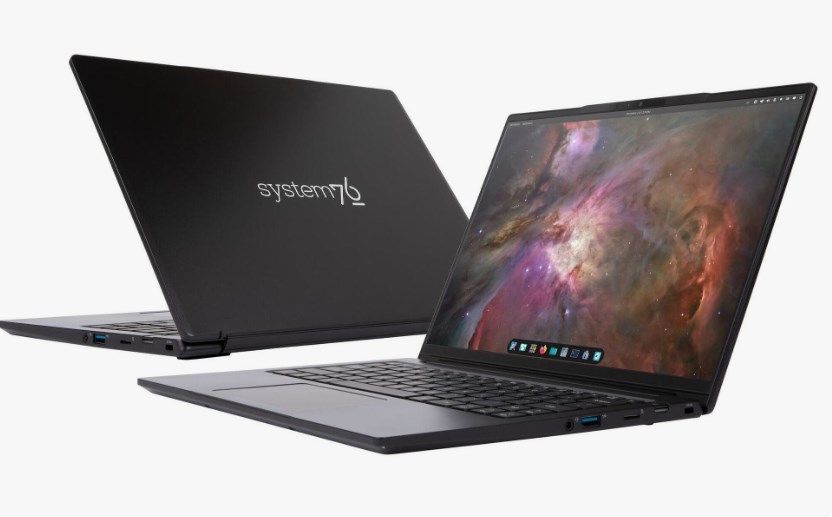
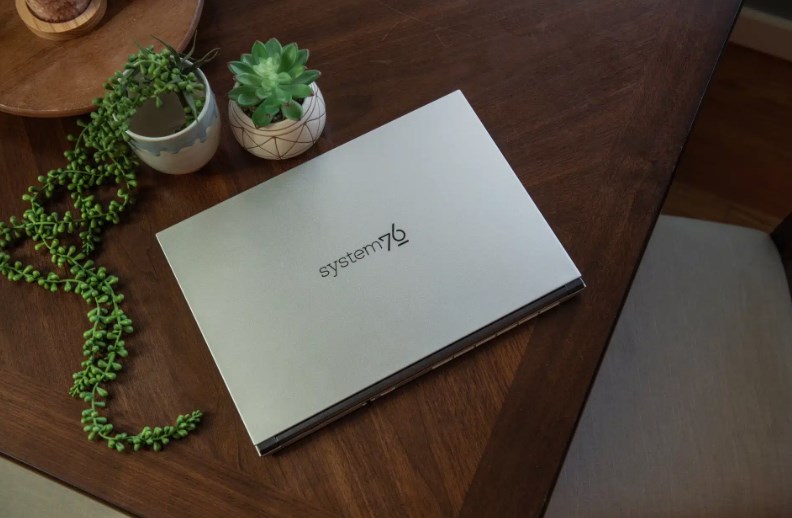
System76 remains one of the most recognizable names in the Linux laptop market, largely because the company designs its machines around Linux rather than treating the operating system as an afterthought. The Lemur Pro is particularly interesting for people who want a lightweight everyday laptop without spending their time troubleshooting hardware compatibility.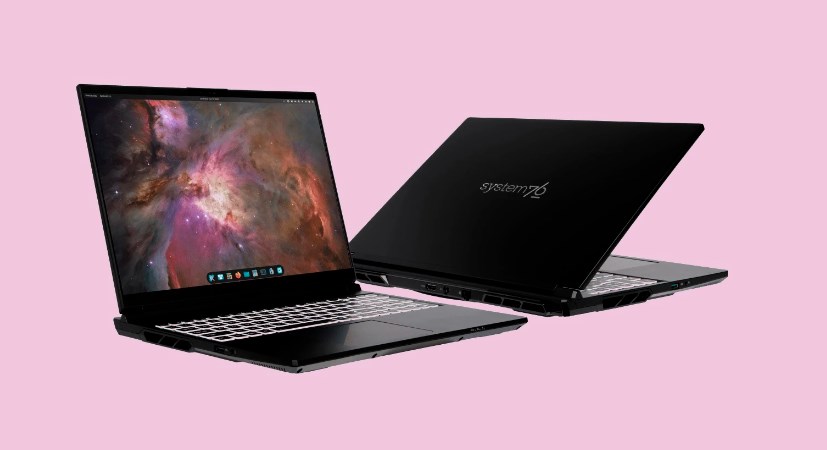 x
x
The latest Lemur Pro lineup has been updated with newer Intel processors, including configurations based on Intel’s current Core Ultra family. The 14-inch version weighs around 2.5 pounds, making it considerably easier to carry than many larger productivity laptops. Storage is also generous, with two SSD slots allowing configurations reaching several terabytes. WIRED’s September 2026 update continues to highlight the Lemur Pro as a strong general-purpose Linux machine.
Another major advantage is the software experience. System76 offers its laptops with Pop!_OS or Ubuntu, giving buyers the option to start using Linux immediately rather than installing and configuring everything themselves. Pop!_OS, with its COSMIC desktop environment, provides a modern interface while retaining the flexibility Linux users expect.
For students, programmers, writers, and professionals who want a portable computer that simply feels like a normal laptop while still offering Linux freedom, the Lemur Pro makes a compelling case. It is not designed as a gaming monster, but that is hardly its purpose. Its appeal is the balance between portability, performance, connectivity, and Linux integration.
Framework Laptop 13: For People Who Want to Own Their Hardware
Framework approaches laptops from a completely different direction. Instead of making the machine difficult to repair or upgrade, the company has built modularity into its philosophy. That makes the Framework Laptop 13 particularly appealing to Linux users who enjoy controlling their hardware as much as their operating system.
The current Framework Laptop 13 can be configured with AMD or Intel processors, depending on availability and configuration. It can also be equipped with substantial amounts of memory and large SSDs. More importantly, many of the components can be replaced later. Memory, storage, expansion cards, and other parts aren’t treated as disposable components in the same way they are on many modern thin laptops. The Best Linux Laptops
That repairability changes the relationship between the buyer and the computer. If the SSD becomes too small several years from now, you can replace it. If you need different ports, Framework’s expansion-card system lets you change your connectivity setup. Linux users can install distributions such as Ubuntu and Fedora, while the wider community has also documented compatibility with many other distributions.
There are compromises, of course. The Framework 13 is not necessarily the most luxurious laptop in its class, and battery life can vary considerably depending on configuration and workload. Still, for developers, students, Linux enthusiasts, and technically minded users, its upgradeability can be more valuable than a polished but sealed chassis.
System76 Pangolin Pro: More Power Without Going Full Workstation
For users who need a larger screen and more performance, the System76 Pangolin Pro moves into a different category. This 16-inch AMD-powered laptop is aimed at people who want additional processing capability without giving up the convenience of a Linux-first system.
The machine offers a strong selection of ports, including USB-C, USB-A, HDMI, Ethernet, microSD, and an OCuLink connection. That last feature is particularly interesting because it can support external graphics solutions, giving users an additional route to graphics performance when integrated graphics are not enough.
Memory and storage can also be configured generously. System76 lists options reaching up to 96 GB of RAM and 16 TB of storage, although most buyers will have no reason to spend anywhere near those maximums. A more modest configuration is perfectly capable of programming, office work, content creation, virtualization, and demanding multitasking. The Best Linux Laptops
The Pangolin Pro also illustrates why Linux laptops do not have to mean compromising on everyday usability. A large keyboard, substantial display, numerous ports, and all-day battery performance in typical use make it practical for someone who spends most of the day working at a desk or moving between locations.
TUXEDO, ThinkPads, and Kubuntu Focus Add More Choices
System76 and Framework may receive much of the attention, but they are not the only companies worth considering. TUXEDO has built a strong reputation in the Linux market, particularly in Europe, with laptops such as the InfinityBook Pro. Its hardware combines modern processors, high-resolution displays, large batteries, and Linux-specific software support.
Traditional business laptops can also be excellent Linux computers. Lenovo ThinkPads, for example, have long been popular with Linux enthusiasts because of their keyboards, serviceability, hardware selection, and extensive community documentation. The important point is to research the exact configuration rather than assuming every model with the same name will behave identically under Linux.
At the high-performance end, Kubuntu Focus targets users who need substantially more computing power. Its current machines are designed for workloads involving professional applications, development, virtualization, and graphics processing. Some configurations use powerful NVIDIA GPUs, which can provide impressive performance but also require more attention to Linux graphics drivers and power-management behavior.
This is where buying a Linux laptop becomes different from simply buying a Windows laptop. Specifications alone don’t tell the whole story. Linux compatibility depends on the individual components, firmware, drivers, and distribution you plan to use. The Best Linux Laptops
How to Choose the Right Linux Laptop in 2026
The first question should be simple: what are you actually going to do with the laptop?. For everyday productivity, programming, browsing, writing, and schoolwork, a lightweight machine such as the System76 Lemur Pro or Framework Laptop 13 can provide plenty of performance. If repairability and future upgrades matter most, Framework’s modular approach is especially relevant. If you want Linux preinstalled with manufacturer support, System76 and TUXEDO offer a more straightforward experience.
Developers should pay particular attention to RAM and storage. Containers, virtual machines, local databases, development environments, and large projects can consume memory surprisingly quickly. A laptop with 32 GB of RAM may be a much better long-term investment than one with 16 GB if your workload involves virtualization or large development projects.
Graphics users need another level of caution. Integrated AMD and Intel graphics are increasingly capable, but anyone planning serious gaming, 3D work, GPU computing, or machine-learning workloads should investigate dedicated graphics support before buying. NVIDIA hardware can deliver substantial performance, but Linux users should research driver and hybrid-graphics compatibility for the specific laptop and distribution. The Best Linux Laptops
Battery life, meanwhile, should never be judged solely by the manufacturer’s advertised number. Linux power management continues to improve, but real-world battery performance depends on the desktop environment, kernel, display brightness, processor configuration, workload, and applications running in the background.
Ultimately, the biggest change in the Linux laptop market is that buyers no longer have to choose between Linux freedom and a well-designed computer. System76 offers a Linux-first experience, Framework emphasizes repairability and modularity, TUXEDO focuses heavily on Linux-oriented hardware and software, and established business machines provide additional options for users willing to install Linux themselves.
In 2026, the best Linux laptop is therefore less about finding a single universal winner and more about matching the hardware philosophy to your own needs. Whether you want a featherweight work machine, a repairable laptop that can evolve for years, or a powerful workstation capable of handling demanding workloads, there is now a much broader Linux laptop ecosystem to choose from.
About the Author