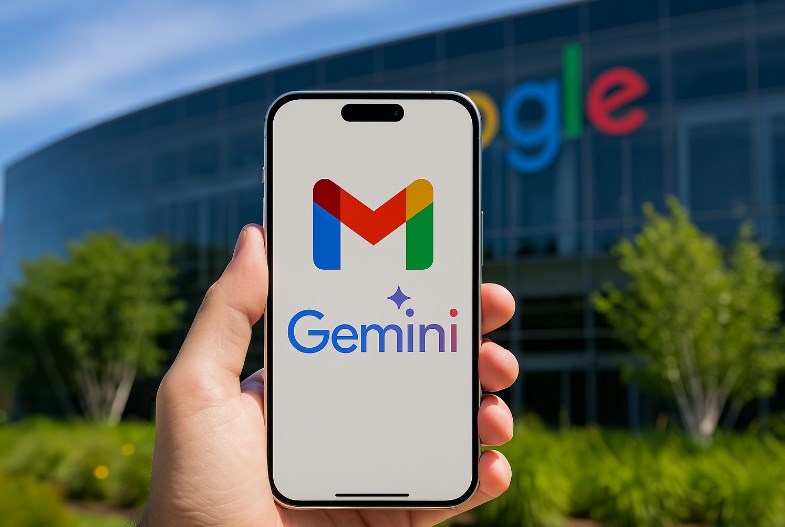
Gmail gets new Gemini AI tools for writing and email summaries – Email remains one of the most important communication tools for professionals, students, businesses, and everyday internet users. However, managing an overflowing inbox can quickly become frustrating. Between lengthy conversations, unanswered messages, meeting updates, and important notifications, finding the information that matters often takes more time than actually responding to emails.
Google wants to make that experience easier by bringing more artificial intelligence capabilities into Gmail through its Gemini AI technology. The latest improvements are designed to help users write better emails, summarize lengthy conversations, find information more easily, and spend less time handling repetitive inbox tasks.
These additions represent a bigger change in how Gmail works. Rather than functioning only as a place to send and receive messages, the service is gradually becoming a more intelligent personal assistant that can help users organize information and communicate more efficiently.
The improvements are particularly interesting because email habits have changed significantly over the years. People regularly receive messages from colleagues, customers, schools, online services, retailers, and personal contacts. Reading every message carefully is not always practical, especially for users who manage multiple conversations throughout the day.
With Gemini becoming more deeply integrated into Gmail, Google is attempting to reduce that workload while keeping users in control of what gets written and sent.
1. Gemini Makes Writing Emails Much Easier
One of the most useful additions to Gmail is the improved Help Me Write feature. Writing a professional email can take longer than expected, particularly when users need to communicate carefully with clients, colleagues, managers, or business partners. Finding the right words, choosing an appropriate tone, and organizing information into a clear message can become a repetitive task.
Gemini aims to simplify this process by allowing users to describe what they want to communicate through a simple prompt. For example, someone can ask Gmail to draft a professional meeting request, prepare a follow-up message, thank a customer, or respond politely to an important inquiry. The AI then generates an initial draft that users can review and adjust before sending.
Google has also improved the editing experience. Users can provide additional instructions to change specific parts of a draft rather than starting the entire process again. If an email sounds too formal, they can request a friendlier tone. If an important deadline is missing, they can ask Gemini to include it.
Another interesting improvement is personalization. Gemini can use relevant context from Gmail and Google Drive, where supported, to make drafts more useful. It can also adapt to the writing style of previously sent emails for eligible accounts. This means generated messages can feel more natural and less like generic automated responses.
2. Long Email Conversations Can Now Be Summarized
Another major benefit of Gemini integration is its ability to summarize lengthy email conversations. Anyone who has participated in a group discussion involving dozens of replies knows how difficult it can be to understand everything that has happened. Instead of opening every message individually, Gmail can generate an AI Overview at the top of a lengthy conversation. The summary highlights important points, relevant replies, and the general direction of the discussion.
This feature can be particularly helpful in professional environments. Imagine receiving an email thread involving several colleagues discussing a project deadline, budget changes, and outstanding responsibilities. Reading every response could take several minutes, especially if the conversation has been active for days. With Gemini, users can get a shorter overview of the discussion and identify the information that requires attention. They can then open individual messages whenever they need additional context or want to verify a particular detail.
For students, the feature could also make academic communication easier. Long conversations about assignments, classroom schedules, and project requirements can be reviewed more quickly without searching through every response. Importantly, AI summaries are intended to make information easier to understand, not replace the original messages. Users should still check the underlying conversation before making important decisions based on dates, financial details, or instructions.
3. Gmail Search Becomes More Intelligent With AI Overviews
Traditional Gmail search works well when users remember specific keywords, email addresses, or subject lines. However, finding something from an old conversation can be difficult when the exact wording is forgotten. Gemini introduces a more conversational approach to searching an inbox. Instead of typing a few keywords and browsing through multiple results, eligible users can ask questions using ordinary language.
For example, someone might ask, “When is my next appointment?” or “What was the delivery tracking number for my recent order?” Gmail can analyze relevant messages and provide a concise answer based on the information it finds. This capability is particularly useful for people who frequently receive travel confirmations, payment notifications, appointment reminders, and business correspondence. Rather than manually searching through different folders, they can ask a question and let the AI identify relevant information.
The feature can also bring together details scattered across multiple emails. For instance, if a customer has received several updates about a purchase, Gemini may help summarize the latest information without requiring the user to open each message separately. However, AI-powered inbox search is not available under every account type and subscription. Some advanced search capabilities require an eligible Google AI or Google Workspace plan.
4. Suggested Replies Help Users Respond Faster
Writing a response is not always complicated, but doing it repeatedly throughout the day can consume valuable time. Many email conversations involve familiar questions that require relatively short answers. Google’s Suggested Replies feature uses the context of an email conversation to generate relevant response suggestions. Instead of relying on basic automated phrases, Gemini can produce more detailed replies that reflect the discussion.
For example, if someone asks whether a meeting can be moved to Friday, Gmail may suggest a response addressing the proposed schedule. Users can select a suggestion, review the wording, and make adjustments before sending it. The benefit is not necessarily that AI writes every email perfectly. Rather, it gives users a starting point when they do not want to compose an entire message from scratch.
This can be especially valuable for customer service teams, office workers, and people who regularly handle scheduling requests. Even saving a few minutes across several conversations can make daily communication more manageable. Google is also developing these features alongside more advanced proofreading capabilities, giving eligible users additional help with grammar, clarity, tone, and writing style.
5. AI Inbox Helps Identify Important Messages
Another development worth watching is AI Inbox, a feature designed to help users understand which messages deserve attention first. Most email inboxes contain a mixture of important information and everyday notifications. A payment reminder, an urgent work request, and a promotional newsletter may all appear close together, making it easy to overlook something important.
AI Inbox aims to reduce that problem by creating a personalized overview of important updates and outstanding tasks. It can identify priority contacts, highlight time-sensitive messages, and help users catch up on conversations that may require action.
For example, a reminder about an upcoming appointment or an outstanding bill could receive more attention than a routine promotional email. This approach is intended to help users focus on meaningful information rather than constantly checking every incoming message.
Google has also introduced improvements that allow AI Inbox to provide personalized draft replies, surface relevant files, and make task management easier for eligible subscribers.
Although this feature is promising, its availability remains more limited than basic email summaries and writing assistance.
blog.google+1
6. Google Expands Gemini Features to More Gmail Users
One of the biggest developments arrived on November 10, 2026, when Google announced an expansion of Gemini-powered Gmail features to more Google Workspace users.
Previously, access to certain AI capabilities depended on specific subscriptions or account eligibility. The latest expansion brings AI Overview conversation summaries and basic Help Me Write functionality to a broader group of Workspace customers, including eligible users with school and work accounts.
Google says the expanded features will be available to Workspace customers, Workspace Individual subscribers, and personal Google account holders aged 18 and older who have Gmail smart features enabled. The rollout is gradual and may take up to 15 days to reach eligible accounts.
This is an important development because it makes AI-assisted email management less exclusive. Students, educators, and professionals can benefit from quicker summaries and easier email drafting without necessarily needing a premium AI subscription for these particular features. However, more advanced capabilities still have separate eligibility requirements
7. Privacy Remains an Important Consideration
While Gemini introduces several convenient features, giving artificial intelligence access to email information naturally raises privacy questions. Gmail can contain sensitive conversations, financial information, personal details, and confidential business discussions. Users understandably want to know how that information is processed when AI tools analyze their messages.
Google says personal emails are not used to train its foundational Gemini AI models. The company also explains that Gemini processes information for specific requested tasks, such as summarizing an email conversation, under Gmail’s existing security and privacy protections.
Users can also manage their Google Workspace smart feature settings and control access to certain AI-powered capabilities. Businesses may have additional administrative controls over which features employees can use.
Nevertheless, users should remain careful when reviewing AI-generated content. Summaries can miss context, and automatically generated replies may occasionally contain inaccurate details. Checking important information before sharing or sending a message remains essential. Gmail gets new Gemini AI tools for writing and email summaries
Final Thoughts
Google’s latest Gemini AI improvements represent an important step in the evolution of Gmail. Features such as Help Me Write, AI Overview conversation summaries, Suggested Replies, and AI-powered inbox search are designed to make everyday email communication faster and less frustrating.
The biggest advantage is convenience. Users can spend less time reading lengthy conversations, searching for forgotten information, and composing repetitive responses. Instead, they can focus more attention on the actual work that needs to get done.
The expansion announced in November 2026 also makes these improvements more accessible to eligible Workspace and personal account users. While advanced capabilities remain tied to certain subscriptions, the broader availability of writing assistance and email summaries is a positive development.
Gemini will not eliminate the need for people to read messages carefully or make their own communication decisions. However, it can make managing a busy inbox considerably easier. Ultimately, Gmail is becoming more than a traditional email platform. With Gemini continuing to evolve, Google is building an experience where artificial intelligence helps users organize conversations, communicate more effectively, and stay on top of important information without spending their entire day managing email. Gmail gets new Gemini AI tools for writing and email summaries
About the Author