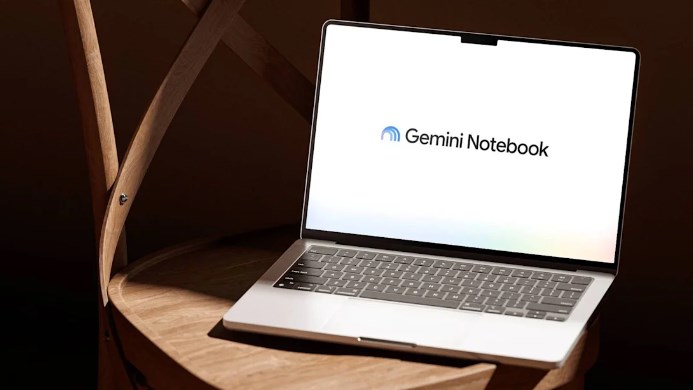
Gemini Notebook Adds Visual Flashcards and Study Reminders – Studying for an exam or mastering a dense topic rarely fails because a student lacks effort. More often, it breaks down because review sessions feel repetitive, key diagrams stay buried in slide decks, and life gets in the way of consistent practice. Google is addressing those exact friction points in Gemini Notebook—the evolving workspace formerly known as NotebookLM—with a targeted upgrade to its flashcard experience.
Rather than treating flashcards as a static pile of text prompts, the latest update brings three practical additions designed around how people actually remember information: image-backed cards, an optional stopwatch for timed recall, and mobile study reminders. Even better, Google is rolling these improvements out without locking them behind a paid subscription, making them accessible across personal Google accounts, Google Workspace, and Workspace Individual plans.
Turning Text Decks Into Visual Study Aids
For years, digital flashcards have leaned heavily on plain text—a question or term on one side, a definition or explanation on the other. That works well for vocabulary or straightforward dates, yet plenty of subjects depend on seeing how pieces fit together. A circuit schematic, an anatomical chart, a historical map, or a slide graphic often carries meaning that words alone struggle to capture.
With visual support now built into Gemini Notebook flashcards, the tool can pull images directly from the study materials you upload into a notebook. Instead of reading a purely text-based prompt and trying to picture a diagram from memory, learners can pair concepts with real visual context from their notes, textbooks, or presentations.
Visual cues do more than break up monotony during long study blocks. Connecting an idea to an image helps anchor recall when you are reviewing complex systems or multi-part concepts. Because Gemini Notebook stays grounded in the sources you provide, the cards stay tied to your actual coursework or research materials rather than drifting into generic trivia. Gemini Notebook Adds Visual Flashcards and Study Reminders
Practicing Recall Under Realistic Pacing
Knowing material slowly in a quiet room is one thing; recalling it smoothly when time is tight is another. To bridge that gap, Google added an optional stopwatch to flashcard sessions. You do not have to turn the timer on for every review. When you want a relaxed walkthrough of a new deck, you can keep things low-pressure. When test day gets closer—or when you want to test how quickly you can spot weak spots—the stopwatch lets you track how long it takes to pull up an answer.
Timing your responses adds a subtle layer of accountability. If you hesitate for a full minute on a concept you thought you knew cold, that pause is a useful signal to spend extra time on that card later. Combined with existing flashcard tools—such as customizing difficulty, asking for deeper explanations, marking cards as mastered or missed, and re-running just the cards you struggled with—the stopwatch helps turn casual flipping into deliberate practice.
Building a Habit With Mobile Study Reminders
Even the smartest flashcard deck cannot help if it sits unopened until the night before a test. A common challenge with self-directed study tools is remembering to come back consistently across busy weeks of classes, work, and personal commitments.
To solve that, Gemini Notebook now lets users schedule flashcard review reminders directly through the mobile app on Android and iOS. Setting a nudge for a quiet morning window, a commute, or an evening study block makes it easier to treat short review sessions as a regular routine rather than a last-minute scramble.
Short, scheduled check-ins align naturally with spaced learning. Checking in for ten minutes a day is far more sustainable than cramming for three hours once a week, especially when mobile notifications prompt you before a deck fades from memory. Gemini Notebook Adds Visual Flashcards and Study Reminders
Why These Updates Matter for Everyday Learners
Taken individually, adding images, a stopwatch, and mobile reminders might sound like modest refinements. Together, though, they address three distinct stages of studying: understanding through visuals, testing fluency under time, and showing up consistently.
That combination fits neatly into the broader direction of Gemini Notebook. Over the past several months, Google has expanded the platform from a document-grounded chat and note workspace into a fuller study environment featuring interactive learning overviews, live voice conversations with notebooks, expanded quiz formats, and short video summaries. Flashcards have long been one of the simplest ways to reinforce memory, and giving them visual depth, pacing feedback, and timely nudges makes them far more practical for real-world schedules.
Keeping the rollout free across standard accounts also lowers the barrier for students, self-learners, and professionals reviewing technical material. Whether you are memorizing terminology, studying visual diagrams from lecture slides, or trying to stick to a daily review habit on your phone, these upgrades give flashcards a much stronger role in day-to-day learning. Gemini Notebook Adds Visual Flashcards and Study Reminders
About the Author