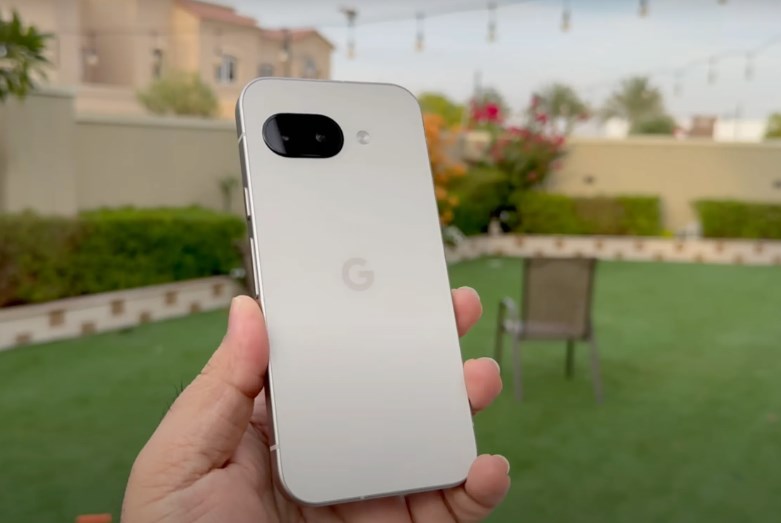
Google brings back App Lock for Pixel, with a wide release set for Q1 2027 – For years, Android users have enjoyed a level of customization that Apple’s iOS could rarely match, yet one seemingly basic privacy tool remained conspicuously absent from Google’s own Pixel lineup: a built-in App Lock. While rival manufacturers like Samsung, OnePlus, and Xiaomi long offered native ways to tuck individual apps behind a fingerprint or PIN, Pixel owners were stuck relying on clunky third-party workarounds or Google’s more isolated Private Space. Google brings back App Lock for Pixel 
That gap is finally closing. After an initial test run earlier this year, Google has officially brought back native App Lock in the Android 17 QPR3 beta, confirming that a wide public release for Pixel devices is scheduled for Q1 2027.
A Rollercoaster Road to Reality
The journey to bring App Lock to Pixel phones has been anything but straightforward. Rumors and early code teardowns had teased the feature for years before Google first unveiled it during the Android 17 QPR2 beta cycle back in August 2026. Just as Pixel testers were getting comfortable with the tool, Google pulled it from the final QPR2 build to iron out lingering bugs and refine how the system handles background permissions.
Now, Google’s Android team has re-introduced the feature in Android 17 QPR3 Beta, calling on Pixel testers to put it through its paces ahead of a stable launch between January and March 2027. Interestingly, the underlying APIs built into Android 17 are also paving the way for the wider Android ecosystem—with Samsung simultaneously introducing its own version of App Lock in One UI 9.5.
How Native App Lock Works on Pixel
At its core, App Lock is designed for everyday moments when you hand your unlocked phone to a friend to show them a photo, let a child play a game, or worry about shoulder-surfing in public. Instead of locking down your entire device or hiding apps in a separate profile, it lets you put a quick biometric or passcode barrier on individual applications.
Google has made enabling the feature remarkably frictionless, offering two primary ways to set it up:
-
Directly from the Home Screen or App Drawer: Users can simply long-press any supported app icon, tap App lock from the shortcut menu, and verify their identity using their fingerprint, face unlock, PIN, pattern, or password.
-
Through System Settings: For those who want to secure several apps at once, navigating to Settings > Security & privacy > App lock opens a centralized dashboard where users can toggle protection on or off for multiple apps in bulk.
Once an app is locked, opening it requires a quick scan of your fingerprint or face. To keep the experience from feeling repetitive during active use, Google included a smart grace period. After you authenticate, the app remains unlocked while it stays in the foreground and for a brief window after you switch away. The moment you lock your phone’s screen, however, every protected app immediately relocks. Google brings back App Lock for Pixel
More Than Just a Lock Screen
What makes Google’s implementation stand out is how thoroughly it prevents accidental data leaks outside the app itself. Putting a password on a messaging or banking app doesn’t do much good if sensitive messages still pop up on your lock screen or appear in your multitasking view.
When App Lock is active on a Pixel phone, Android automatically applies several layers of background privacy:
-
Notification Redaction: Incoming notifications from locked apps automatically hide their sensitive content so bystanders can’t read incoming texts or alerts.
-
Recents Screen Blurring: When you swipe up to view your open apps, protected apps display a blank or locked preview rather than showing what was last on your screen.
-
Widget and Shortcut Removal: Any home screen widgets or quick shortcuts tied to a locked app are temporarily hidden to prevent unauthorized glances.
-
Share Sheet Filtering: Locked apps are removed from Android’s Direct Share targets, ensuring private contacts or conversations don’t surface when you tap the share button in another app.
Google also opened up launcher APIs starting in Android 17 QPR2, meaning third-party home screen replacements like Nova Launcher or Niagara Launcher can integrate native App Lock toggles directly into their own app menus.
App Lock vs. Private Space: Knowing the Difference
A common question among Pixel owners is how App Lock differs from Private Space, a security feature Google introduced in Android 15. While both tools protect your privacy, they serve very different purposes. Private Space creates an entirely separate, sandboxed profile on your phone—complete with its own Google account login, isolated storage, and hidden app drawer. It is built for apps and files you want to keep completely invisible and disconnected from your main profile. However, that strict isolation can make everyday tasks tedious, such as sharing photos or copying files between your main apps and your private ones.
App Lock, by contrast, is built for convenience. Your apps stay right where they are on your main home screen, continue syncing normally, and interact seamlessly with the rest of your phone. Google notes that because locked apps remain part of your main profile, connected AI assistants or photo galleries with broad permissions may still access their underlying media. For maximum stealth, Private Space remains the heavier vault, whereas App Lock acts as a fast, everyday deadbolt for apps like WhatsApp, Gmail, or mobile banking.
Which Pixels Will Get It and What’s Next
Right now, anyone eager to test App Lock can enroll an eligible device—spanning from the Pixel 6a all the way up to the Pixel 11 series and Pixel Fold lineup—into the Android Beta Program and install the Android 17 QPR3 Beta. For everyone else who prefers stable software without beta bugs, the wait won’t be much longer.
When Android 17 QPR3 rolls out publicly in Q1 2027 alongside the March Pixel Drop, App Lock will finally become a standard fixture of the Pixel experience. It may have taken longer than many fans hoped, but Google’s thoughtful, system-wide approach makes it well worth the wait. Watch a walkthrough of the new feature in Google Pixel Gets a HUGE Android 17 Upgrade! App Lock Is Finally Here to see how native app locking looks in action on Android 17 QPR3 Beta. Google brings back App Lock for Pixel
About the Author