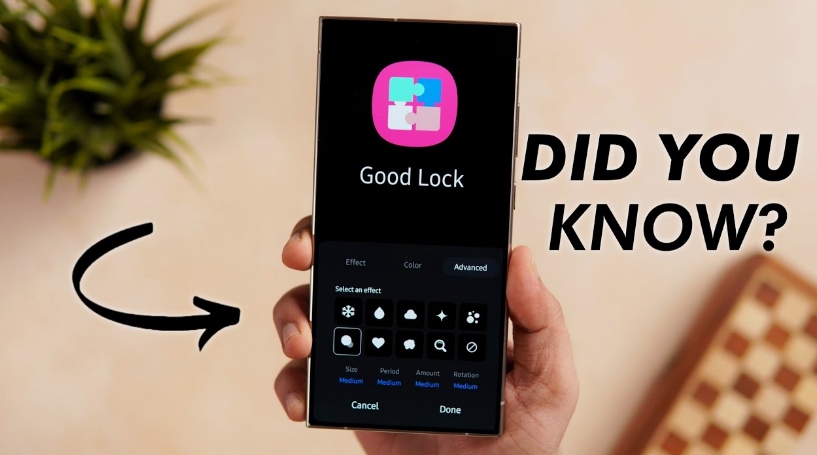
Samsung enhances widget list display in new MultiStar update – Samsung continues to refine the way users interact with its devices, and the latest update to its customization suite highlights just how committed the company is to personalization. With a fresh update to the MultiStar module inside Good Lock, Samsung is enhancing the widget list display—an improvement that may sound minor at first glance but actually delivers a meaningful boost to usability and everyday convenience.
For longtime Galaxy users, Good Lock has become something of a hidden gem. It’s not pre-installed on all devices or prominently marketed, yet it offers a level of control that goes far beyond standard Android customization. Through a collection of modules, users can tweak everything from lock screen layouts to multitasking behavior. Among these modules, MultiStar stands out for its focus on productivity and multi-window functionality. Now, with this latest update, it’s getting a subtle yet impactful upgrade that changes how widgets are displayed and accessed.
At the heart of this update is a redesigned widget list interface. Previously, navigating widgets in MultiStar could feel slightly cluttered, especially for users who had installed many apps. Widgets would appear in a long, sometimes overwhelming list that required a fair amount of scrolling. While functional, it wasn’t always the most efficient or visually pleasing experience. Samsung seems to have listened closely to user feedback, because the new update introduces a cleaner, more structured layout that makes browsing widgets faster and more intuitive.
The enhanced widget list display focuses on organization and clarity. Widgets are now grouped more logically, making it easier to find what you’re looking for without endless scrolling. Visual spacing has been improved, and the interface feels less cramped. This might seem like a small design tweak, but in practice, it reduces friction in daily use. When you’re quickly trying to add a widget or adjust your multitasking setup, those saved seconds add up.
Another noticeable improvement is how information is presented. The updated layout allows users to preview widgets more effectively before selecting them. Instead of guessing how a widget might look on your screen, you get a clearer idea upfront. This is especially useful for people who care about aesthetics and want their home screen or multi-window setup to look just right. It also lowers the barrier for experimentation—users are more likely to try new widgets when they can easily see what they’re getting. Samsung enhances widget list display in new MultiStar update
What makes this update particularly interesting is how it ties into Samsung’s broader approach to multitasking. Galaxy devices, especially those in the flagship and foldable categories, are built with productivity in mind. Features like split-screen mode, pop-up windows, and app pairs are central to the experience. MultiStar enhances these capabilities, and the improved widget list display complements them by making it easier to integrate widgets into a multitasking workflow.
Imagine you’re working across multiple apps—perhaps a messaging app, a calendar, and a notes widget. With the updated interface, setting up that environment becomes smoother. You can quickly locate the widgets you need, preview them, and place them exactly where they fit best. The process feels less like a chore and more like a seamless extension of your workflow.
This update also reflects a growing trend in smartphone design: the emphasis on personalization as a core feature rather than an afterthought. Users no longer want a one-size-fits-all interface. They want their devices to reflect their habits, preferences, and even their personality. Samsung has been leaning into this trend for years, and Good Lock is arguably the purest expression of that philosophy.
By refining something as specific as the widget list display, Samsung is acknowledging that customization isn’t just about adding more options—it’s about making those options easier to use. A powerful feature loses its appeal if it’s buried under a confusing interface. This update strikes a balance between functionality and accessibility, ensuring that both power users and casual users can benefit.
It’s also worth noting how updates like this contribute to the longevity of Galaxy devices. In an industry where hardware upgrades often take center stage, software improvements can sometimes be overlooked. Yet, they play a crucial role in keeping devices feeling fresh. A well-designed interface update can make a phone feel new again, even if the hardware hasn’t changed. Samsung enhances widget list display in new MultiStar update
For users who may not have explored Good Lock before, this update could serve as a compelling entry point. The improved widget list display lowers the learning curve, making it easier to understand and navigate the customization options. Once users start experimenting, they often discover just how much control they have over their device.
Of course, the update isn’t revolutionary in the sense of introducing entirely new features. Instead, it’s a refinement—an example of Samsung polishing an already capable tool. But in many ways, these incremental improvements are what define a great user experience. They show attention to detail and a willingness to iterate based on real-world usage. Looking ahead, it’s reasonable to expect Samsung to continue evolving Good Lock and its modules. As Android itself evolves and new device form factors emerge, the need for flexible, user-driven customization will only grow. Updates like this suggest that Samsung is not just keeping pace but actively shaping how users interact with their devices.
In the end, the enhanced widget list display in MultiStar may not grab headlines in the same way a new flagship phone does, but it represents something equally important: a commitment to improving the everyday experience. It’s about making small tasks smoother, interfaces cleaner, and customization more enjoyable. For Galaxy users who rely on multitasking and personalization, this update is a welcome improvement. And for those who haven’t yet explored what Good Lock has to offer, there’s never been a better time to dive in. Samsung enhances widget list display in new MultiStar update
About the Author