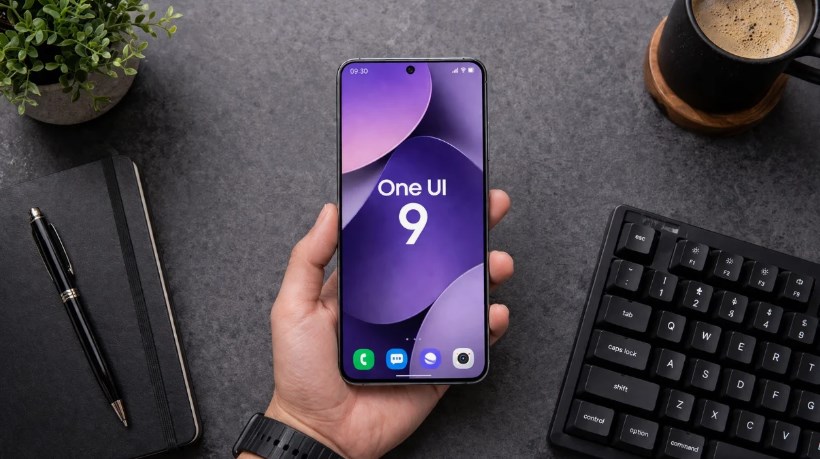
Samsung One UI 9 will disable your fingerprint every time you open the power menu – Samsung’s One UI software has long been known for balancing convenience, customization, and security. With every major update, Galaxy users typically look forward to new features, visual improvements, and smarter ways to interact with their devices. However, a newly discovered behavior in Samsung’s upcoming One UI 9 update is already generating discussion among users—and not everyone is convinced it’s a welcome change.
According to early reports and software previews, Samsung One UI 9 may automatically disable fingerprint authentication whenever the power menu is opened. While this might sound like a minor adjustment at first glance, it has significant implications for both device security and everyday usability.
For some users, the feature could provide an additional layer of protection against unauthorized access. For others, it may feel like an unnecessary interruption to a system that already works well. As Samsung continues refining its software experience, this particular change highlights the growing tension between convenience and security in modern smartphones.
What Exactly Is Changing?
Traditionally, Samsung Galaxy phones allow users to unlock their devices using fingerprints, facial recognition, PINs, passwords, or pattern locks. Fingerprint authentication has become one of the most popular options because it combines speed with security.
Under the behavior spotted in One UI 9, opening the power menu appears to temporarily disable fingerprint unlocking. Once the power menu is accessed, users would need to enter their PIN, password, or pattern before biometric authentication becomes available again.
In practical terms, imagine pressing and holding the power button to access options such as:
- Power Off
- Restart
- Emergency Mode
- Emergency Call
- Other device management functions
The moment that menu appears, the device could switch into a heightened security state. Even if someone has a registered fingerprint on the sensor, the phone would require manual credential verification before normal biometric access resumes. The feature mirrors a security mechanism already present in some Android devices and even in Apple’s iPhone ecosystem.
Why Would Samsung Disable Fingerprint Unlock?
The answer lies primarily in security. Biometric authentication is incredibly convenient, but security experts have long pointed out that fingerprints are fundamentally different from passwords. A password can be changed if compromised. A fingerprint cannot. 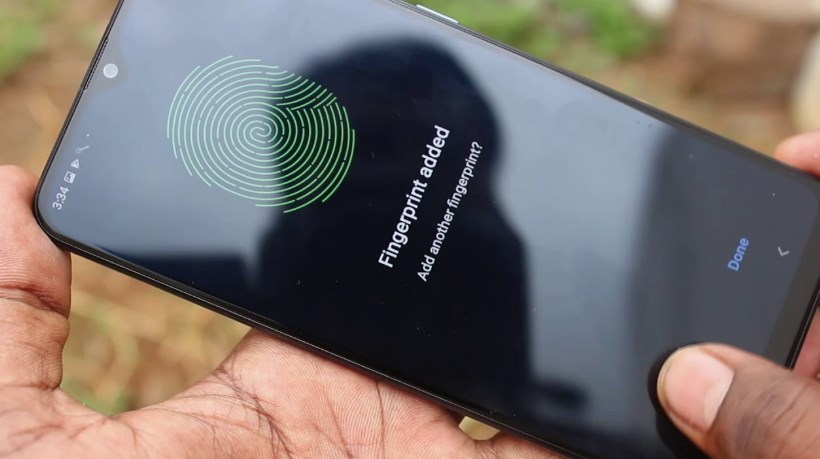 By temporarily disabling fingerprint access after opening the power menu, Samsung appears to be creating a situation where only the device owner—someone who knows the passcode—can regain access. This could be especially useful in situations involving:
Physical Coercion
If someone attempts to force a user to unlock their device using a fingerprint, opening the power menu first could effectively place the phone into a more secure state. Once biometric authentication is disabled, the phone would require a PIN or password, making unauthorized access much more difficult.
Theft Prevention
Smartphone thieves often rely on speed. If they can gain access to a device quickly, they may attempt to disable tracking services, access financial apps, or retrieve personal information. Requiring a passcode after entering the power menu introduces another obstacle that could slow down or entirely prevent unauthorized access.
Emergency Situations
Many security-conscious users already manually disable biometrics during sensitive situations. One UI 9 may automate part of that process, ensuring the device enters a protected state with minimal effort.
A Growing Trend Across Smartphones
Samsung is not the first company to experiment with stronger biometric safeguards. Apple introduced a similar concept years ago. On iPhones, certain actions automatically require a passcode before Face ID or Touch ID can be used again. Android itself includes several situations where biometric authentication is temporarily disabled, including:
- After a device restart
- Following extended inactivity
- After multiple failed biometric attempts
- When security settings are modified
Samsung’s implementation appears to extend that philosophy to power menu access. As smartphone manufacturers face increasing concerns about digital privacy, identity theft, and device security, features that reduce reliance on biometrics alone are becoming more common. Samsung One UI 9 will disable your fingerprint every time you open the power menu
Why Some Users May Not Like It
Despite the security benefits, the change has already sparked debate among Galaxy enthusiasts. For many people, fingerprint unlocking is one of the reasons modern smartphones feel fast and effortless. Any interruption to that process can feel frustrating. Consider a typical scenario:
A user accidentally opens the power menu while trying to perform another action. Under One UI 9’s reported behavior, they may suddenly need to enter a PIN before fingerprint authentication works again. That extra step might only take a few seconds, but repeated interruptions could become annoying over time. Users who prioritize convenience may see the feature as a solution to a problem they rarely encounter. Some concerns include:
Reduced Convenience
Fingerprint sensors are designed to eliminate repetitive passcode entry. If the power menu disables biometric access too aggressively, users may feel they are being forced to enter passwords more often than necessary.
Accidental Activation
Many Galaxy devices allow multiple gestures involving the power button. Accidentally triggering the power menu could unexpectedly lock users into manual authentication mode.
Workflow Interruptions
People who frequently restart devices, switch power modes, or access emergency features may find the extra security checks disruptive.
Security Experts Are Likely to Approve
While everyday users may debate the convenience factor, cybersecurity professionals will likely view the change positively. One of the biggest challenges in mobile security is balancing protection with usability. Most users prefer frictionless access, but attackers exploit that convenience whenever possible.
A temporary biometric lockout after opening the power menu creates a stronger security boundary without significantly altering the overall user experience. Unlike permanent restrictions, the lockout would only occur during a specific action that is already associated with critical system controls. From a security design perspective, that makes the feature relatively elegant. Could Samsung Make It Optional?. Samsung One UI 9 will disable your fingerprint every time you open the power menu
One question many Galaxy owners are already asking is whether Samsung will allow users to disable the behavior. Samsung has built a reputation for extensive customization. One UI includes countless options for adjusting everything from lock-screen behavior to navigation gestures. If enough users object to the change, Samsung may decide to offer a toggle that allows owners to choose between:
- Enhanced security mode
- Standard biometric behavior
Providing both options would satisfy users who prioritize maximum protection while preserving convenience for those who prefer a faster unlocking experience. At this stage, however, Samsung has not officially detailed whether such a setting will be available. Samsung One UI 9 will disable your fingerprint every time you open the power menu
What This Means for Galaxy Users
The reported fingerprint lockout feature reflects a broader trend in smartphone development. Manufacturers are increasingly treating smartphones not merely as communication tools but as digital vaults containing financial information, personal documents, private messages, and authentication credentials. As devices become more valuable targets for cybercriminals and thieves, software developers are introducing additional safeguards that may occasionally sacrifice convenience in favor of stronger protection.
For Galaxy users, One UI 9’s power menu behavior may initially feel surprising. Yet it also demonstrates Samsung’s ongoing effort to strengthen device security in a world where smartphones have become central to everyday life. Whether users embrace the change or criticize it will likely depend on how seamlessly Samsung integrates the feature into the overall experience. If implemented thoughtfully, it could become one of those security enhancements that most people barely notice—until the day they truly need it.
As One UI 9 moves closer to a wider release, Galaxy owners will be watching closely to see whether Samsung keeps the feature as-is, modifies its behavior, or gives users the freedom to decide how their fingerprint authentication works. Samsung One UI 9 will disable your fingerprint every time you open the power menu
About the Author